Problem
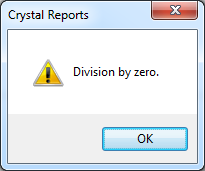
When running a Crystal Report you receive the following error message
Division by zero.
Solution
Before describing how to work around this issue a quick explanation.
When you see this message it means a formula in the report is attempting to calculate a value using a field that has either a NULL or 0 value. You cannot divide by NULL or 0 – it is mathematical non-sense.
For example
1 / 0 = mathematical non-sense
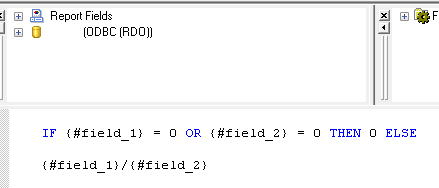
To fix the issue you need to find the formula that’s causing the issue and add a check at the start to say ‘if value is 0 then return 0 else do calculation’.
For example
IF {#field_1} = 0 OR {#field_2} = 0 THEN 0 ELSE
{#field_1}/{#field_2}
Help with this… getting division by zero. Not sure if formula is correct.
Sum ({DieCopyHist.SawWt}, {DieCopy.CopyNum}) / Sum ({DieCopyHist.PressHr}, {DieCopy.CopyNum})
IF {#DieCopyHist.SawWt} = 0 OR {DieCopyHist.PressHr} = 0 THEN 0 ELSE
{DieCopyHist.SawWt}/{DieCopyHist.PressHr}
Thanks, a lot!
{@total}/{premppay.prep_pay_periods} is my original formula. I get a “Division by zero” error. How do I fix this?
helped a lot. thanks