The following process has been tested and confirmed as working with Java Runtime Environment version 8 and SCCM R2.
It does the following tasks:
- Installs Sun Java silently
- Installs Internet Explorer extension
- Installs Firefox extension
- Disables automatic updates
| Having troubles with the instructions? Take a look at our example download. Full Download: JavaSilentInstall.zip |
- Download standalone (offline) installer for both 32-bit and 64-bit Windows for Java from www.java.com/en/download/manual.jsp
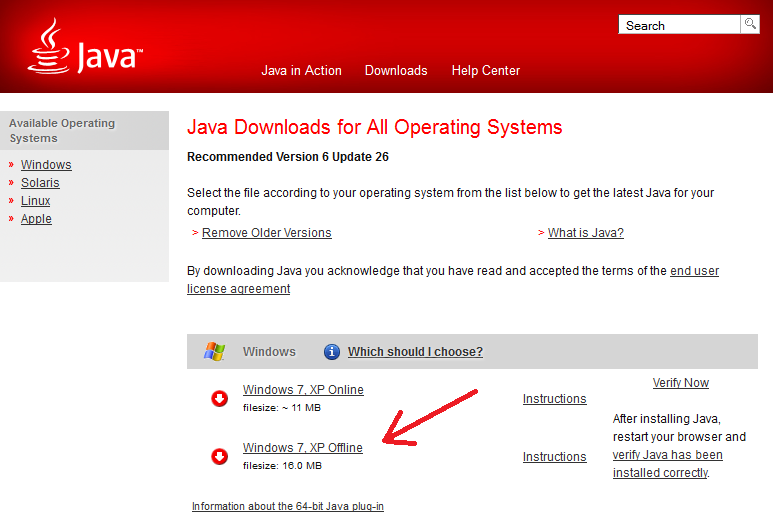
- Create a text file called install.cmd and copy in the following information
@echo off
cls
echo --------------------------------------------------------
echo .
echo .
echo .      Installing Java Runtime Environment - Please Wait.
echo .         (This window will close once installed)
echo .

REM Installing JRE 32-bit
"%~dp0jre-8u131-windows-i586.exe" INSTALL_SILENT=1 STATIC=0 AUTO_UPDATE=0 WEB_JAVA=1 WEB_ANALYTICS=0 EULA=0 REBOOT=0

REM If 64-bit Windows JRE 64-bit is also required
REM Installing JRE 64-bit
if exist "%ProgramFiles(x86)%\" "%~dp0jre-8u131-windows-x64.exe" INSTALL_SILENT=1 STATIC=0 AUTO_UPDATE=0 WEB_JAVA=1 WEB_ANALYTICS=0 EULA=0 REBOOT=0

REM Disable automatic updates
reg delete "HKEY_LOCAL_MACHINE\SOFTWARE\Microsoft\Windows\CurrentVersion\Run" /v SunJavaUpdateSched /f
reg add "HKEY_LOCAL_MACHINE\Software\JavaSoft\Java Update\Policy" /v EnableJavaUpdate /t REG_DWORD /d 0 /f
- Copy the installer files and install.cmd to your software package share
- You can now create your SCCM package or deploy the software by using install.cmd.
For more information on creating SCCM packages see SCCM – How to Distribute Software Packages.
For those which are interested in a way to uninstall Java using a script on either a local computer or SCCM –
http://www.mockbox.net/vbs-scripts/282-uninstall-java-using-vbs-script.html
Also – I’ve had issues in the past with javara – it resulted in java being half uninstalled on some computers so we were unable to either reinstall or upgrade java. We had to reimage the computers.
Greg same thing here. I can’t uninstall or reinstall JAVA, 6u24 broken install. Looks like I am back to re-imaging machines.
If the registry key does not exist, REG reports a failure which in turn is returned to SCCM as a failed install when it may have actually updated. Perhaps check if the reg key exists before attempting to delete it.
Hey
remove all previous Java-junk from time to time : http://raproducts.org/javara.html
Hello
I like your install method for java and it work fine. Have you had any problem with removing previous version of Java. I have install java to 1k and got a report back that it installed to all workstation. I did a quality check and 30% of my workstation are broken from the install. It says that java install by in fact it did not, and I unable to remove this. Have you experience this. I’m using SCCM for the install.