The following SCCM collection query can be used to list all computers which haven’t been seen by Active Directory for more than 90 days.
Please note: This collection query requires the Heartbeat Discovery method to be enabled.
To use you will need to create a new collection and add as a Membership Query Rule.
select SMS_R_SYSTEM.ResourceID,SMS_R_SYSTEM.ResourceType,SMS_R_SYSTEM.Name,SMS_R_SYSTEM.SMSUniqueIdentifier,SMS_R_SYSTEM.ResourceDomainORWorkgroup,SMS_R_SYSTEM.Client from SMS_R_System where SMS_R_System.Name in (select Name from SMS_R_System where ((DATEDIFF(day, SMS_R_SYSTEM.AgentTime, getdate()) >=90) and AgentName = "SMS_AD_SYSTEM_DISCOVERY_AGENT")) and SMS_R_System.Name in (select Name from SMS_R_System where ((DATEDIFF(day, SMS_R_SYSTEM.AgentTime, getdate()) >=90) and AgentName = "Heartbeat Discovery"))
How to create a new collection in SCCM
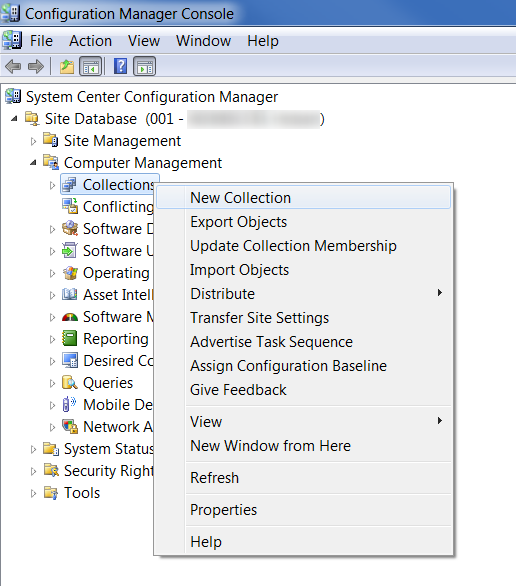
- With the Configuration manager Console window open
- Right-click the ‘Collections’ node and select ‘New Collection’
- Enter in an appropriate name for the collection, for example “Workstations with Office 2010 SP1”
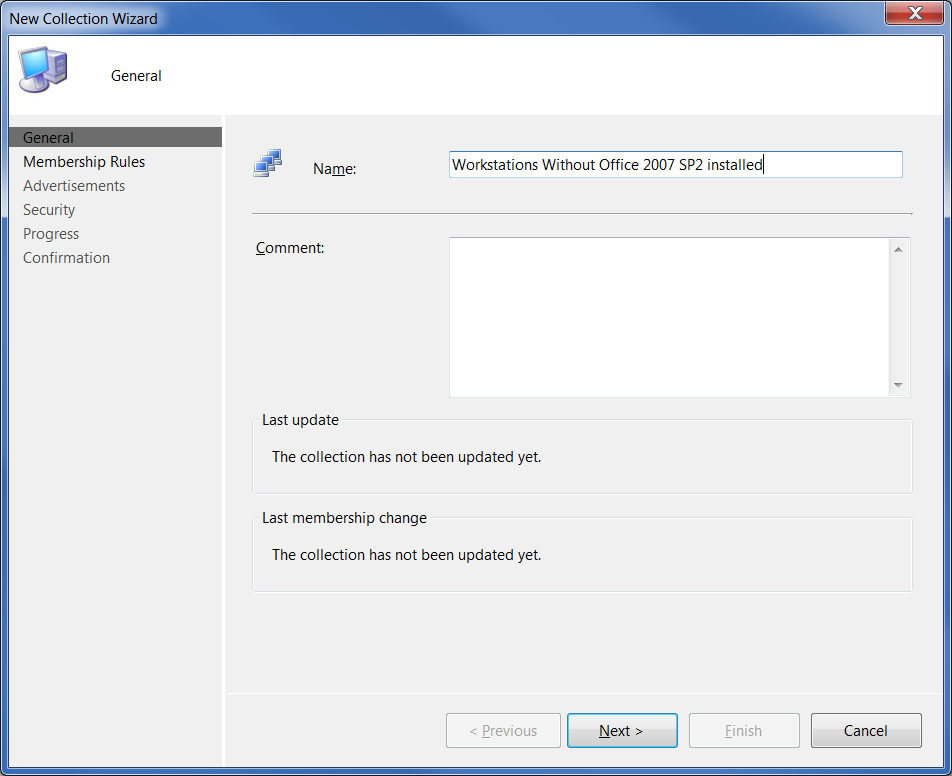
- Click ‘Next’
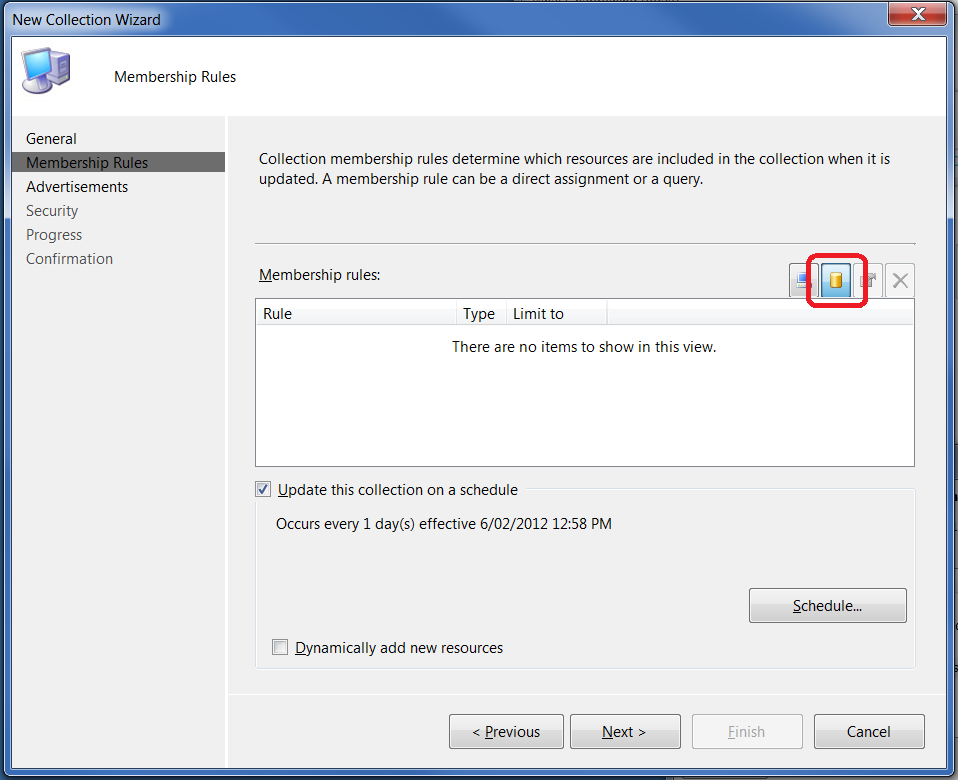
- Click on the ‘Query Rule’icon (it looks like a yellow cylinder)
- Enter an appropriate name for the query and limit to your workstation collection (if required – but NOT suggested for the Apple Mac Systems query!)
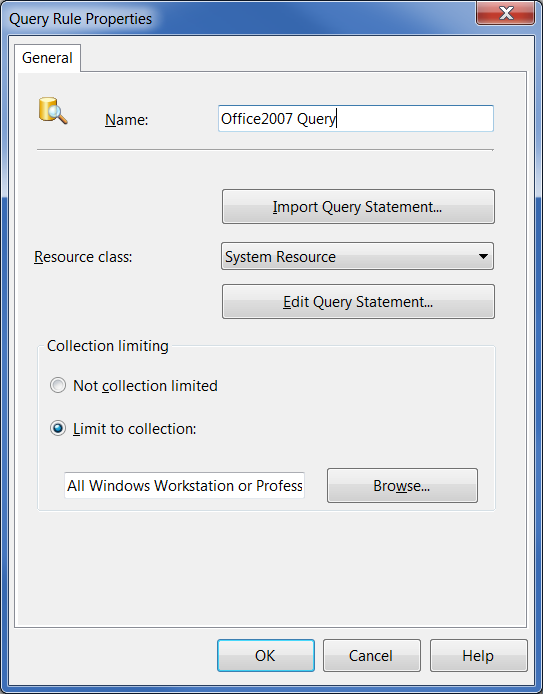
- Click on the ‘Edit Query Statement’ button
- Select the ‘Show Query Language’ button
- Delete any text already in the ‘Query Statement’ box and copy and paste the query above into the box
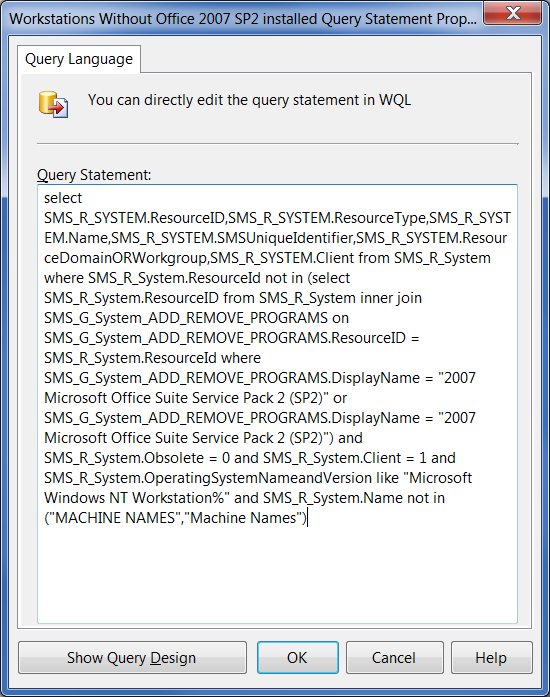
- Click ‘OK’ and then ‘OK’ to return to the New Collection Wizard
- Click ‘Next’,‘Next’,‘Next’ and then ‘Finish’
- You may need to refresh the collection before you’re able to see the clients listed, this is done by right-clicking on the new collection and selecting ‘Update Collection Membership’
Thanks TJ, after changing the AND to an OR the query workes great!
When you copy and paste make sure there are no additional spaces or characters. Copy into notepad first and make sure there – it should auto word wrap correctly – bad characters of hard returnw (which will cause problems) will usually show up there.
sccm states the query syntax is invalid. Any thoughts?
I’d like to make a report that will show me any pcs that have not done any Heartbeat Discovery at all.
I tried:
select a.Name0,b.AgentName,b.AgentTime from v_R_System a
join v_AgentDiscoveries b on b.ResourceId=a.ResourceId where
(AgentName like ‘Heartbeat Discovery’ and AgentTime is Null)
group by name0 ,agentname,AgentTime
Have you though about changing your AND to an OR in your query.
select SMS_R_SYSTEM.ResourceID,SMS_R_SYSTEM.ResourceType,SMS_R_SYSTEM.Name,SMS_R_SYSTEM.SMSUniqueIdentifier,SMS_R_SYSTEM.ResourceDomainORWorkgroup,SMS_R_SYSTEM.Client
from SMS_R_System
where SMS_R_System.Name in
(select Name from SMS_R_System where ((DATEDIFF(day, SMS_R_SYSTEM.AgentTime, getdate()) >=90) and AgentName = “SMS_AD_SYSTEM_DISCOVERY_AGENT”)) OR SMS_R_System.Name in (select Name from SMS_R_System where ((DATEDIFF(day, SMS_R_SYSTEM.AgentTime, getdate()) >=90) and AgentName = “Heartbeat Discovery”))