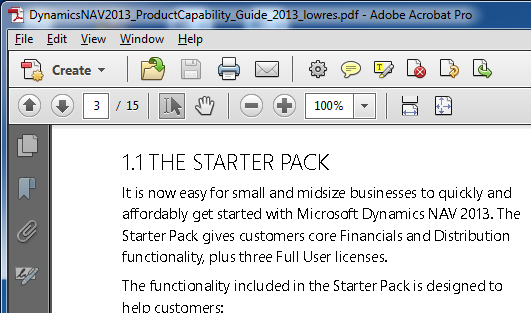
[SOLVED] Adobe Acrobat – Fonts appear warped and out of shape
The article provides a solution for when fonts in Adobe Acrobat appear warped and out of shape, which is caused by the incorrect monitor display type.
The article provides a solution for when fonts in Adobe Acrobat appear warped and out of shape, which is caused by the incorrect monitor display type.

Learn how to optimize your website's design for mobile devices using CSS.
XML Notepad 2007 - A Free XML Editor for Windows 7"The article provides an overview of XML Notepad 2007, a free XML editor provided by Microsoft for Windows 7 users.…
Learn how to use the Windows XP Accessibility Wizard's features to improve your accessibility needs.""This article provides step-by-step instructions on starting and using the Windows XP Accessibility Wizard to adjust…
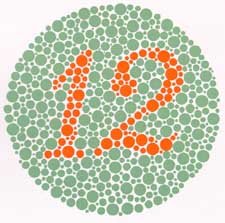
Learn about internet accessibility and how to make websites usable for all users including the blind, partially sighted, color blind, and keyboard only users