If you receive an iPhone which has an unknown PIN number you will need to wipe and reset it.
The process below details how to wipe it to factory defaults.
- Install iTunes on a desktop computer from the Apple website
- Using the iPhone USB cable, plug the iPhone into the computer
- Hold down the ‘home’ button and the ‘sleep’ button at the same time for about 20-30 seconds
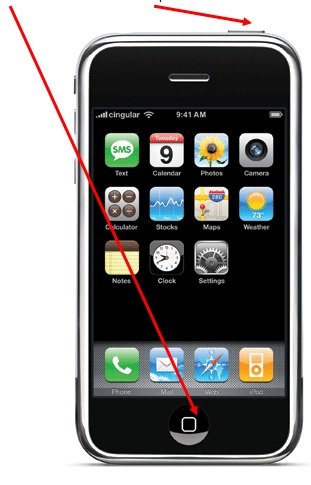
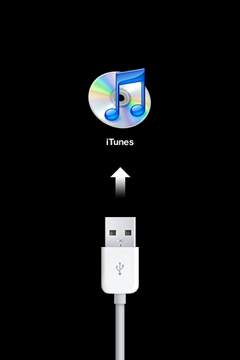
- Release the buttons when you see an iTunes icon and USB cable on the iPhone screen
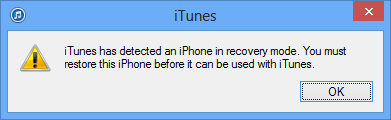
- On the desktop computer iTunes will prompt that you have booted into ‘recovery mode’ Click ‘OK’ to continue.
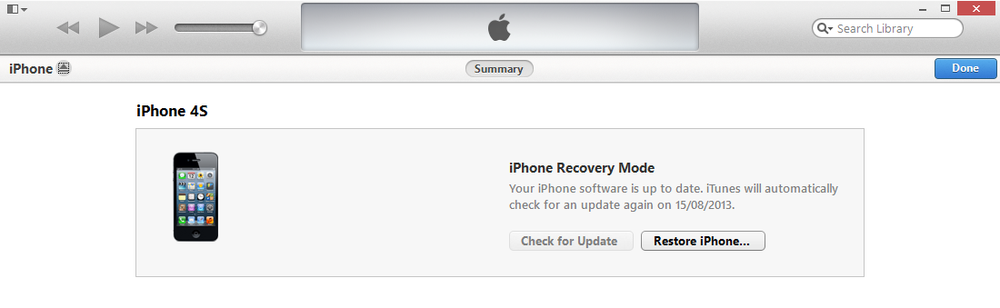
- Click on the ‘Restore iPhone’ button
- A message will open, click ‘Restore and Update’ to start the restoration process.
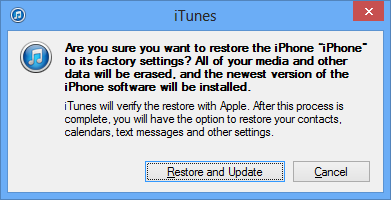
- This restoration will take 10 minutes. DO NOT UNPLUG OR TURN OFF THE IPHONE UNTIL COMPLETED.
- The iPhone will beep once when completed. On the screen you will see it is ready to use.
Worked like a charm! Thank you for posting this.
I have new iphone 5 and now need to restore old 4 for daughter, she has created itunes account for herself, but when she opens itunes on her laptop my account comes up (home wireless network), if restore 4 on her laptop will it affect my itunes on my laptop?
I got the phone from my matt so i do not have a cod for and he did not give me sim so i got sim from o2
gents
i got i problem with my iphone serial number 83835UF2Y7K i just tried to up date at the end it blocked requesting iphone sim card code the card came with telephone. but i don’t have such card, so can you provide me a precedure to fix it? in my country we don’t have apple representation. please i am wating for your replay
Worked a treat. Thanks!! 🙂