The following steps show how to remove the link between a Word document and a mail merge data source.
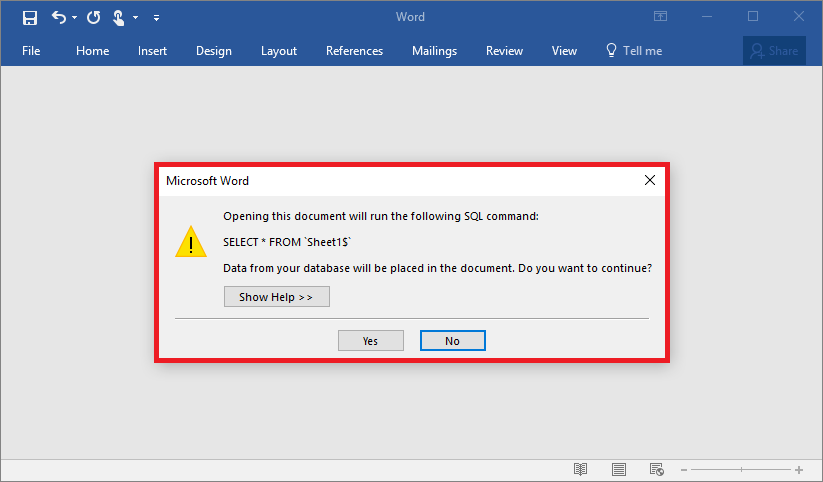
When you open a Word document that has mail merge data source you see a message that reads:
Opening this document will run the following SQL command:
...
These steps work in both Word 2013 and Word 2016.
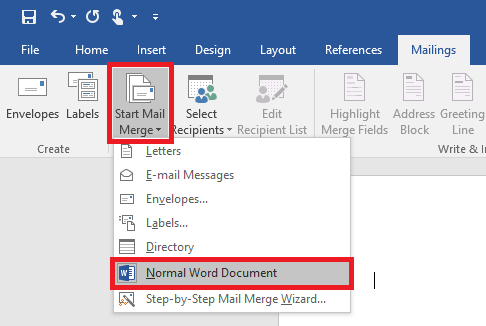
- With the Word document open, open the ‘Mailings’ tab
- Click on the ‘Start Mail Merge’ button
- Then click on ‘Normal Word Document’
- Close the save the document – the link to the data source has now been removed.
The data source was removed, but so was all my Merge Fields
Worked for me, too. Thank you!
Worked great for me. Thanks.
Didn’t work for me 🙁
Thank you very much for this Adrian Gordon!