Problem
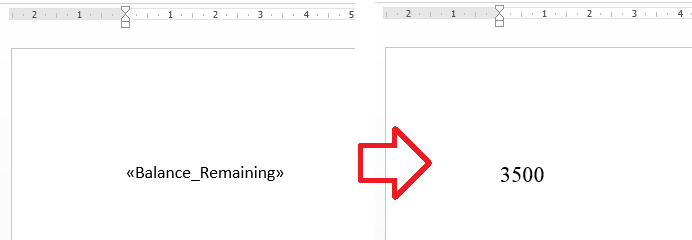
When running a mail merge in Microsoft Word some merge fields change format. For example, the font or size will change.
Changing the styles applied to the field or the merge code do not resolve the issue.
Solution
When this happens you can edit the merge code to include the ‘charformat’ switch to enforce the formats applied to the field.
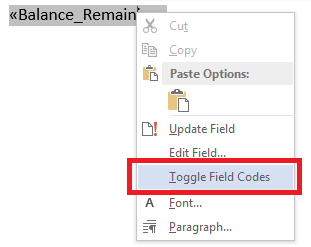
- Right-click on the merge field and choose ‘Toggle Field Codes’
- At the end of the merge field code, before the closing bracket, add
-
\*charformat
- For example – { MERGEFIELD Balance_Remaining } would become { MERGEFIELD Balance_Remaining \* charformat }
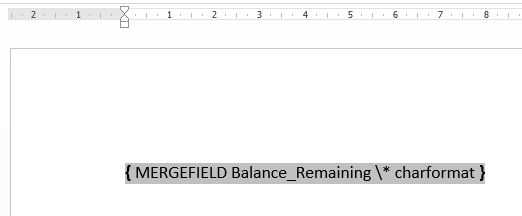
- Right-click on the merge field again and choose ‘Toggle Field Code’ to restore the merge field.
- Now when you run the mail merge the formatting applied to the field should remain.
You’re too awesome. THANK YOU!
Very helpful. Thank you
Have been struggling with this issue. Glad to find this. It works great 🙂
Mail merge in Word to Outlook works a treat. Thank you so much!
This fixed for emails going to Outlook, but the change still happens when sent to gmail accounts. Any idea how to fix?