When VLC Media Player is minimised and changes files a notification appears at the bottom right of the screen.
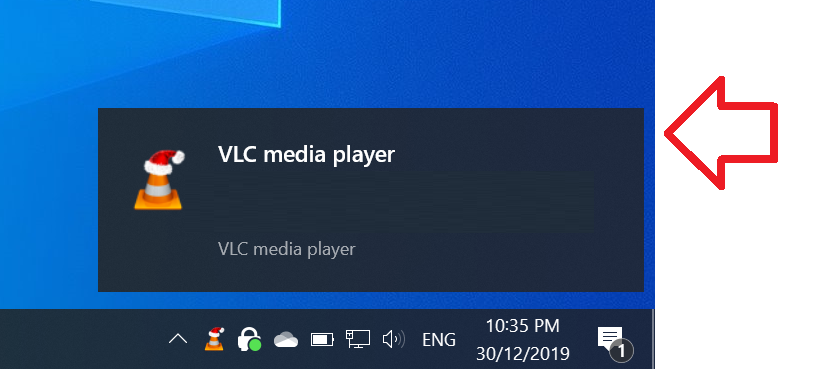
These steps show how to disable the notification in VLC media player.
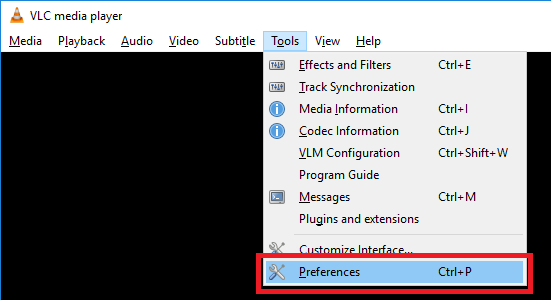
- With VLC media player open, click on the ‘Tools’ menu then click on ‘Preferences’
- In the ‘Interface’ menu, change ‘Show media change popup’ to ‘Never’
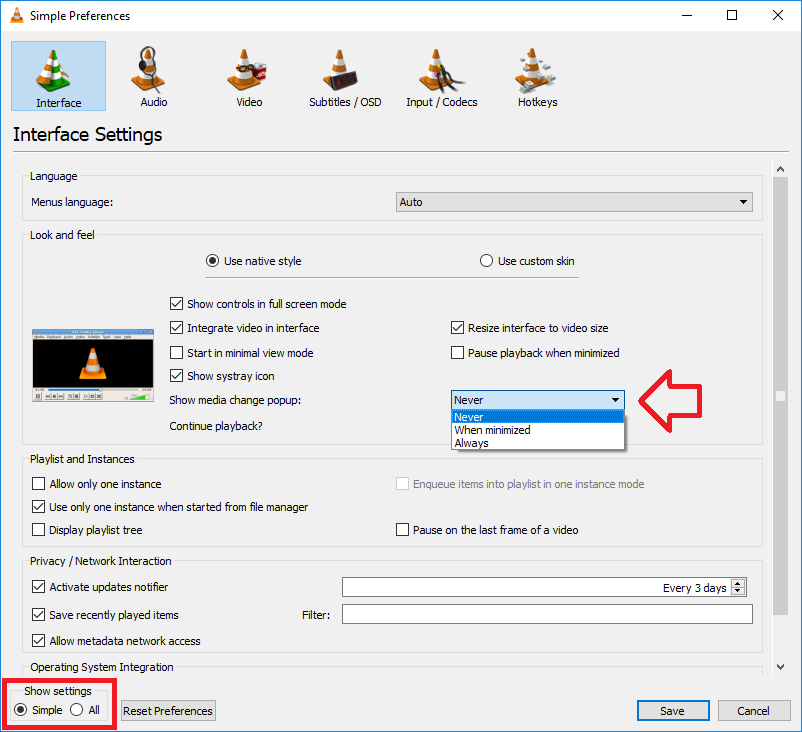
- Click ‘Save’ to save the changes.
TIP: If the setting hasn’t changed anything – try …
- closing VLC Media Player
- AND/OR resetting the preferences and applying the change again.
Thanks!!!
THANK YOU!!! This has driven me nuts for years but I never took the literal 30 seconds it took to look up how to change and fix the problem!