By default when saving a CSV file in Excel, each column will be separated using a comma as the delimiter – hence the name Comma Separated Values (CSV).
This can be seen when you open the CSV file in a text editor –
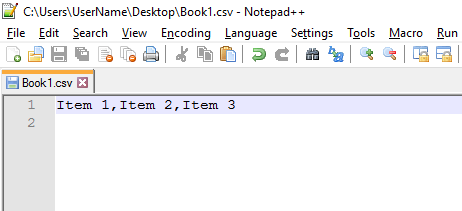
There are however other formats for delimited data – for example, some systems may use a pipe character |.
The steps below will show how to make it so Excel will use the pipe character as the delimiter – unfortunately it cannot be configured from Excel and needs to be done globally from the Windows Control Panel.
In this example we’re using Windows 10 – but it should be very similar using Windows 7 or 8.
NOTE: this will make it so Excel no longer correctly displays COMMA separated lists automatically. This is something I would only do temporarily to save a file using a different delimiter.
Just want to “fix” or convert a different format ? – see Excel 2013/2016 – How to split comma separated values into columns
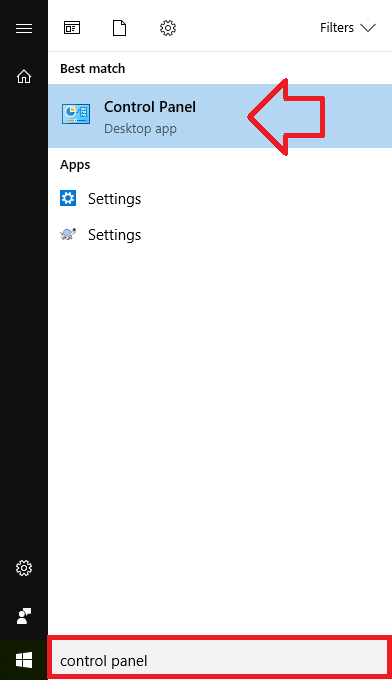
- In the start menu, search for ‘Control Panel’ and click on it when it appears in the search results
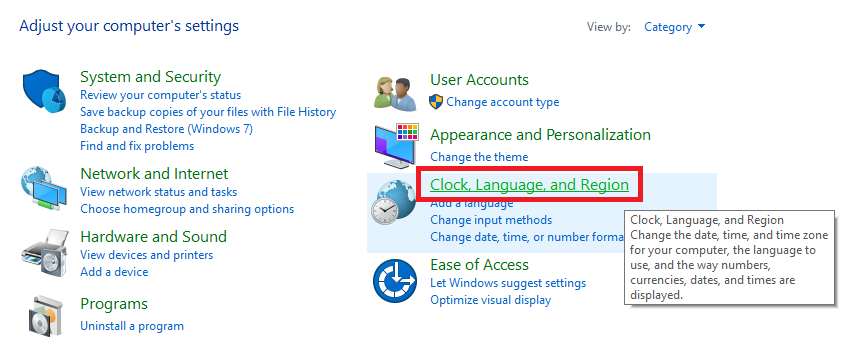
- Click on the ‘Clock, Language, and Region’ link – or search for it if not displayed
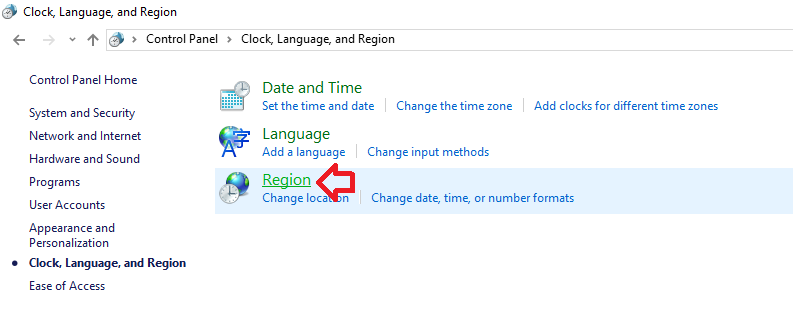
- Click on the ‘Region’ link
- Click on the ‘Additional settings’ button
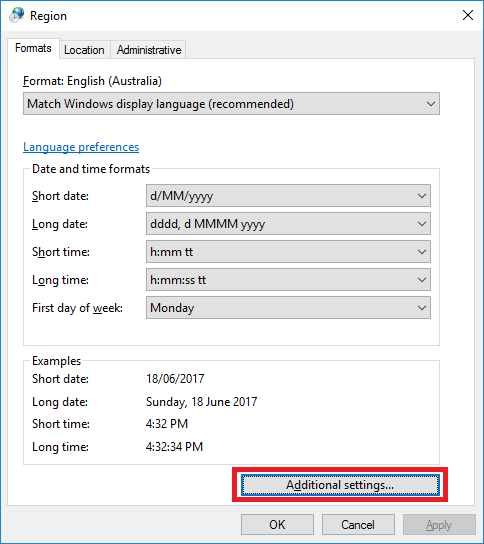
- Under ‘List separator’ enter the character you want to use as a delimiter – in this case the pipe character |
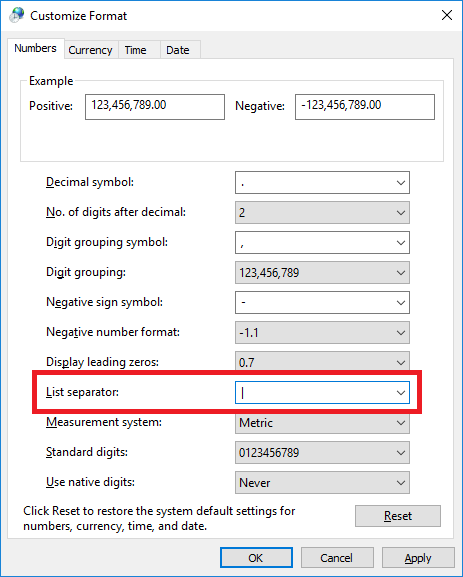
- Click OK and OK again to save the changes.
Open your CSV using a text editor.
Windows: NotePad (notepad.exe)
Mac: TextEdit (textedit.app)
Skip a line at the top, and add sep=; if the separator used in the CSV is a semicolon (;), or sep=, if the separator is a comma (,).
Save, and re-open the file.
Didn’t work with newer version of Excel (Excel for Office 365). Maybe list separator and decimal separator are not allowed to be the same?
This isn’t a very good solution. If you don’t change the delimiter character back immediately after saving your file, you will break every multi-input function in excel.
Read here: https://answers.microsoft.com/en-us/msoffice/forum/all/error-display-window-theres-a-problem-with-this/fd41b58f-de65-44a4-a086-cc829101c214
Furthermore, you don’t even get an informative error message. I lost hours because of this—it is really hard to figure out what happened.
Really ??