When videos are played in VLC Media Player the file name is briefly displayed on screen.
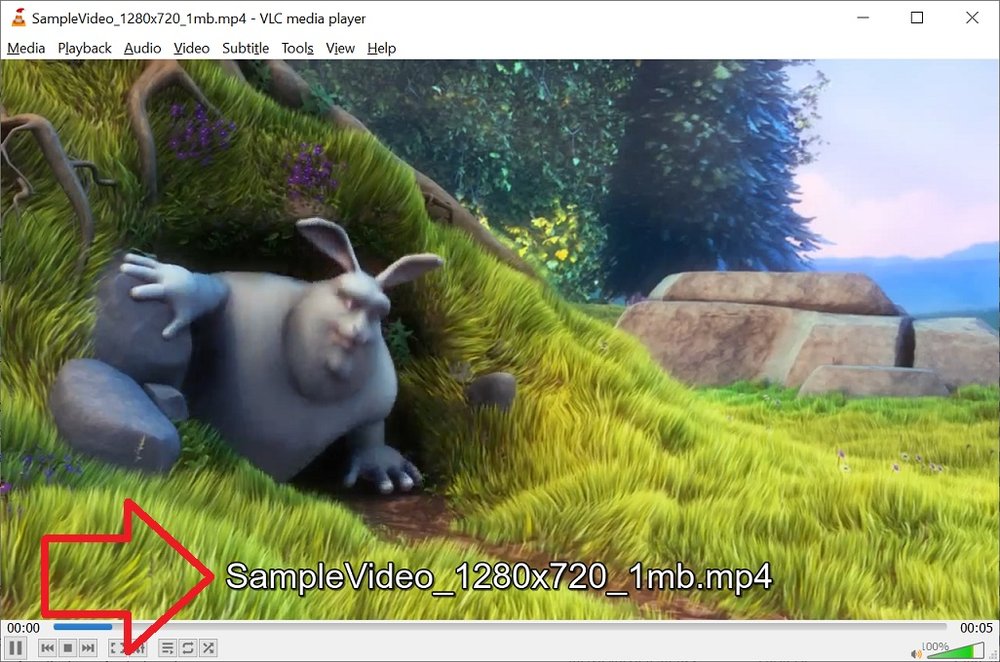
These steps show how to disable the file name being displayed on screen when played.
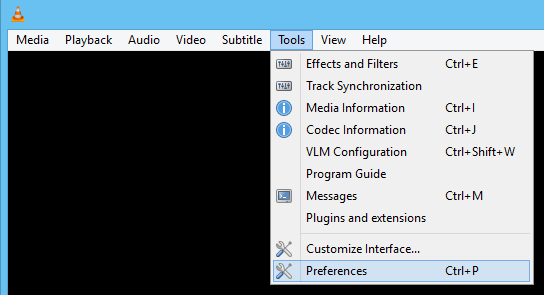
- With VLC Media Player open, click on the ‘Tools’ menu then ‘Preferences’
- Open the ‘Subtitles / OSD’ menu
- Un-tick ‘Show media title on video start’
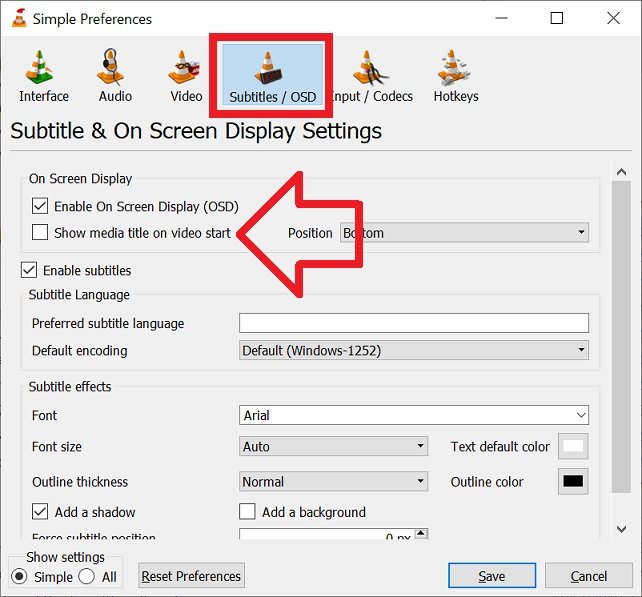
- Click ‘Save’ to save the changes
- The video file name will no longer be displayed at the bottom of the screen.
Thanks for info on disabling file name display – will keep as resource for future.
Had been searching for a while – answer -Tools-. VLC has been brilliant for me many years!
can this be done somehow as command line parameter?
e.a:
vlc -f file.mp4
It only works if you also disable the OSD
OSX: preferences\subtitles\disable OSD