Problem
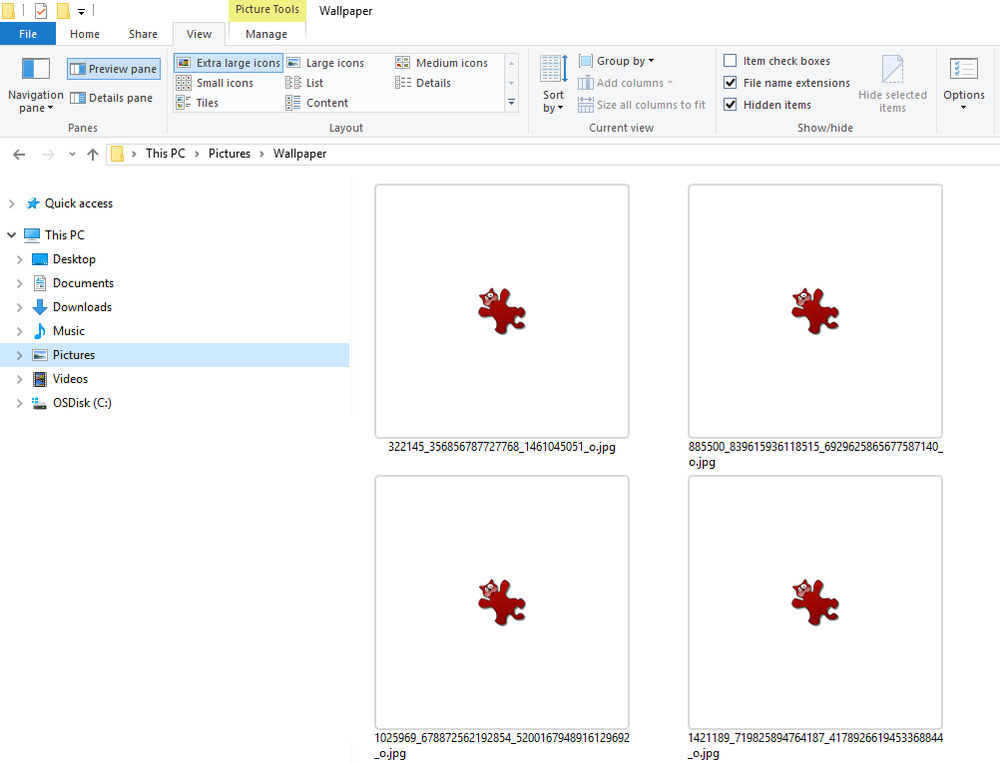
After installing IrfanView image thumbnails are not displayed in File Explorer (also known as My Computer, Computer or Windows Explorer).
Solution
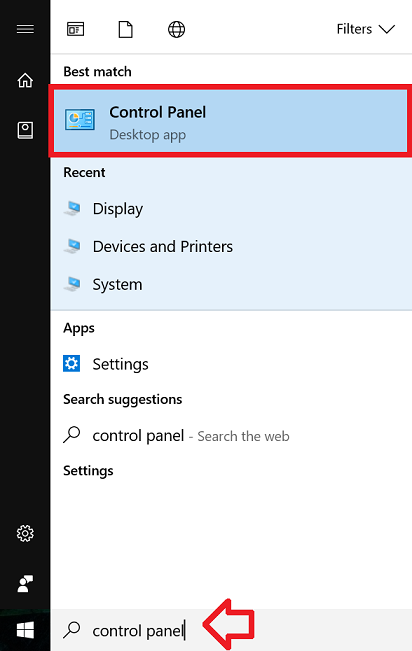
- In the taskbar, type “control panel” and click on ‘Control Panel’ when it appears in the search results
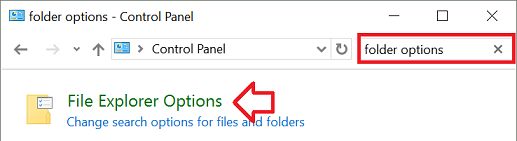
- In the “Search Control Panel” box at the top right type “folder options”
- Click on ‘File Explorer Options’ when it appears in the window
- Open the ‘View’ tab
- Un-tick ‘Always show icons, never thumbnails’
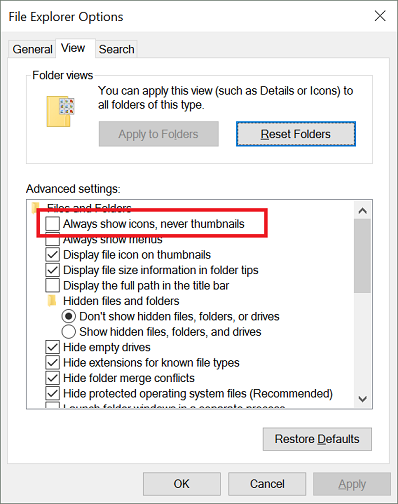
- Click ‘OK’ to save the changes.
- Thumbnails will now be displayed in Windows Explorer.
This fix you have suggested is ‘basic’ troubleshooting that everyone tries first. It does not work to remedy this issue. Thank you.
This basic troubleshooting you suggested does not fix the issue.